
Internal Transfers Received Window
The Internal Transfer Received List window in Inventarios1A constitutes the centralized record of all merchandise transfers that have been sent to this specific warehouse from other warehouses or cost centers of the company. Designed as a reception and control module, this interface provides the destination warehouse manager with a clear and pending view of all scheduled shipments for entry, allowing for efficient management of internal receptions and ensuring the correct update of the inventory.
Key Purpose: This window informs which product was sent, in what quantity and from which origin warehouse, facilitating the physical verification process against the digital document. Its main function is to allow the consultation of pending shipments and the confirmation of their reception.
Clarification: This window does NOT allow creating new Internal Transfers. The creation and shipment of merchandise from an origin warehouse is managed exclusively from the Exits or Internal Transfers module (Shipments). This window is the destination point to complete that cycle.
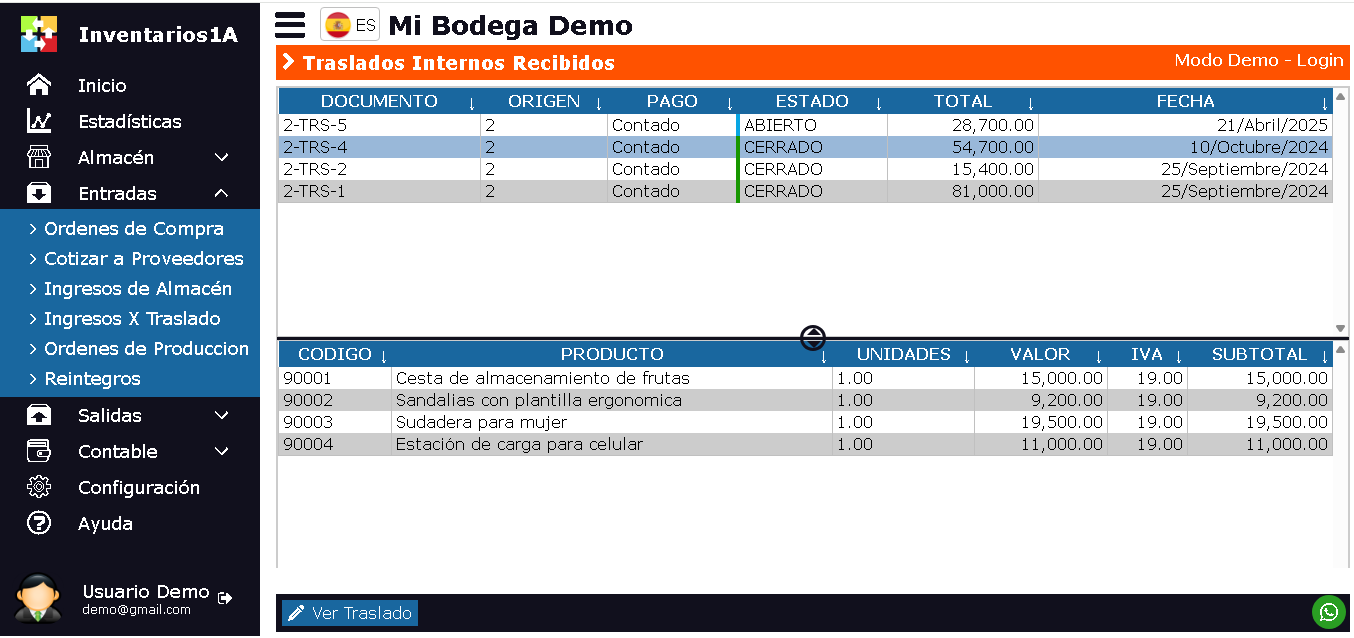
The Internal Transfer Received List window is designed to show all transfer documents where this warehouse is the destination. This window is divided into 2 sections:
- Upper Section: Displays a list of pending or already received transfer documents. It contains key information such as: Transfer document number, Origin Warehouse, shipment date, status (e.g. "In Transit", "Partially Received", "Completed") and the user who made the shipment.
- Lower Section: Displays the details of the items that make up the selected transfer. It includes: Product code, name, quantity sent, quantity pending receipt (if applicable) and observations.
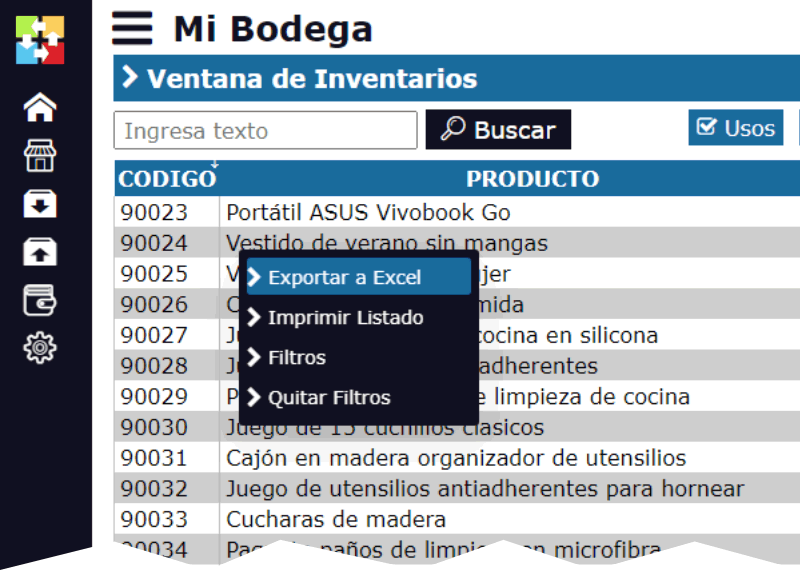
By right-clicking on the upper section, a pop-up menu appears with options to manage the information:
- Export to Excel: Generates a file with the list of received or pending transfers, useful for planning unloading or control.
- Print: Allows printing the list or the "packing list" of a specific transfer to use it as a checklist during physical unloading.
- Filters: Allows refining the search to show only transfers of interest. You can filter by: Status ("In Transit" to view only pending), shipment date range, specific origin warehouse or included product.
- Remove Filters
Receive Transfer (Main Action): This contextual menu option is the key function. By selecting it on a document in "In Transit" status, an assistant opens that allows confirming the receipt of the items, entering received quantities (accepting partial or indicating differences), and registering observations. Upon confirming receipt, the inventory of THIS warehouse is automatically incremented.
At the bottom of the window, there is a single action button in Inventarios1A:
View Transfer: This button opens the original complete transfer document in read-only mode. It shows all the information with which it was created and sent from the origin warehouse, including digital signatures or authorizations, allowing for complete verification and auditing of the process.
Transfer Cycle and Restriction:
Each record represents a unique internal transfer document. The cycle begins when an origin warehouse creates and "sends" a transfer designating this warehouse as the destination. That document then appears in this list with "In Transit" status. Once received totally or partially, its status changes to "Completed" or "Partially Received".
Operational Restriction: In Inventarios1A, transfers can only be created between warehouses defined within the company. It is not possible to receive merchandise from an external entity (supplier) through this module; for this, the Purchase Orders / Receptions module is used.
This window ensures that all internal movement entries are duly authorized (by the origin document) and physically reconciled, maintaining the integrity of the inventory throughout the organization.